15일차 / fuzzy검색의 highlight와 가중치 적용
한것
Highlight 적용
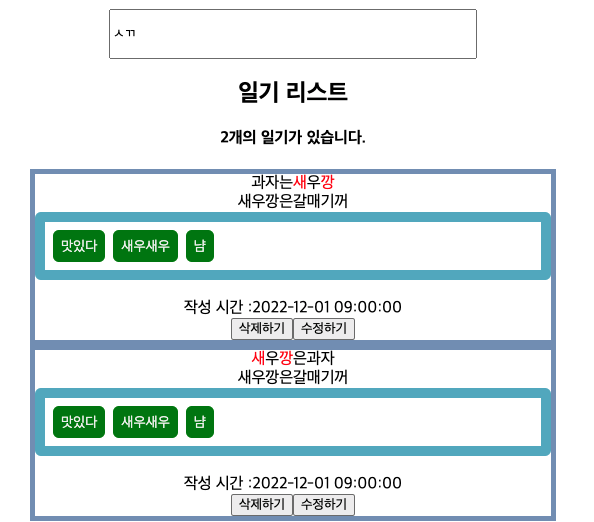
검색을 한 글자를 빨간색으로 반환
가중치 적용
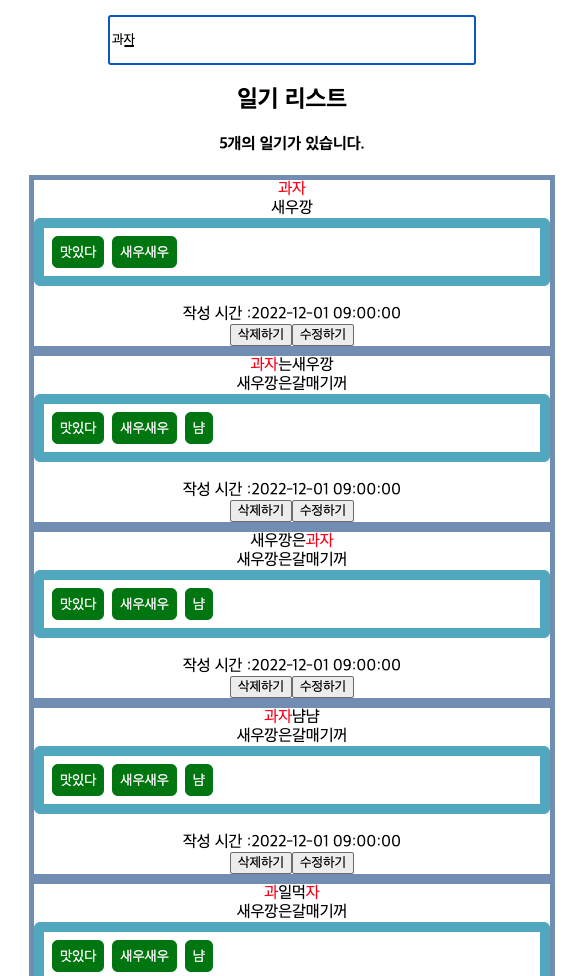
원래 db상 ‘과일먹자’가 ‘과자냠냠’보다 id값이 빨라서 상단에 위치했는데
유저가 좀더 찾기를 원했을만한 단어가 위로가게 가중치 적용
highlight와 가중치에 대해 내가 쓴 글
https://fullfish.tistory.com/105
[fuzzy검색의 highlight와 가중치 적용
참고 : https://taegon.kim/archives/9919 [JS] 한글도 지원하는 퍼지 문자열 검색 UI 작업을 하다보면 목록을 검색해야 할 때가 많다. 그런데 사람의 기억이라는 게 정확하지 않아서 혹은 전부 입력하기 귀
fullfish.tistory.com](https://fullfish.tistory.com/105)```javascript result = document.querySelectorAll(‘.title’); console.log(result); // 출력 NodeList(13) [div.title, div.title, div.title, div.title, div.title, div.title, div.title, div.title, div.title, div.title, div.title, div.title, div.title] 배열로 나온다
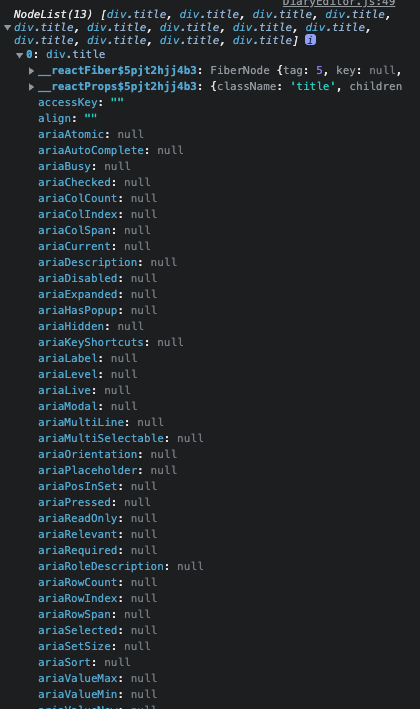
이런식으로
```javascript
console.log(result[0])
하나만을 출력하면
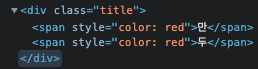
해당 div의 내용이 나온다
const titleInput = useRef();
  useEffect(() => {
  console.log(titleInput.current.innerHTML)
  }
<div className="title" ref={titleInput}>
  {title}
</div>
result[0]과 같은 형식으로 출력된다
useRef()의 이점은
querySelector(‘.title’)을 쓰면 여러개가 ‘title’이 많아도 처음꺼만 선택이되며 querySelectorAll(‘.title’)은 인덱스값을 따로 생각해줘야하는데
useRef()는 해당 useEffect내에서의 title값만을 특정할 수 있음
랜더할때
  const titleInput = useRef();
  useEffect(() => {
    console.log(`${id}번 일기아이템 렌더`);
    titleInput.current.innerHTML = titleInput.current.innerHTML
      .replace(/<span style="color: red">/g, '')
      .replace(/<\/span>/g, '');
    titleInput.current.innerHTML = fuzzy.chageRed(
      titleInput.current.innerHTML,
      search,
    );
  }, [search]);
중복되서 span태그가 붙길래
replace로 초기화해주고 함수에 넣어줬다
fuzzy검색의 highlight와 가중치 적용을 활용
[fuzzy검색의 highlight와 가중치 적용
참고 : https://taegon.kim/archives/9919 [JS] 한글도 지원하는 퍼지 문자열 검색 UI 작업을 하다보면 목록을 검색해야 할 때가 많다. 그런데 사람의 기억이라는 게 정확하지 않아서 혹은 전부 입력하기 귀
fullfish.tistory.com](https://fullfish.tistory.com/105?category=1054038)